
FREE ENGINEERING TOOL · INDUSTRIAL RFQ READINESS
Scan pasted CSV or tab-separated bill-of-materials rows for common data errors before requesting PCBA manufacturing quotes. Runs locally in your browser. This is not a supplier quote, parts-availability lookup or design verification.
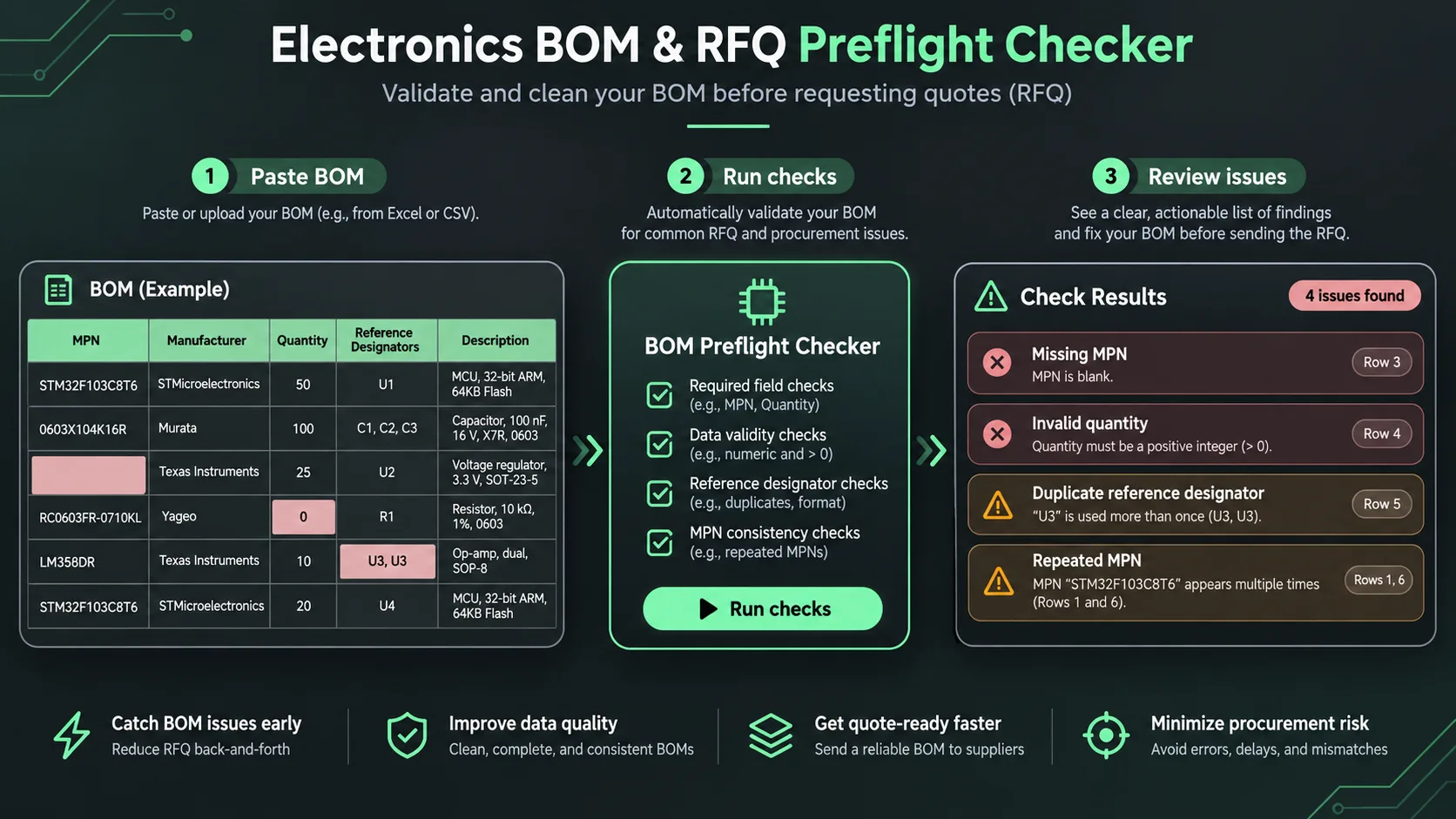
Electronics BOM & RFQ Preflight Checker
Paste a BOM copied from Excel or a CSV export. Check for missing manufacturer part numbers, invalid quantities, repeated references and other common RFQ-data problems before contacting a contract manufacturer. Your BOM is processed in this browser; this tool does not upload it to WireUnWired.
Supported columns include: MPN, Manufacturer, Quantity, Reference Designators, Description. Comma-, tab- and semicolon-delimited text accepted. Use your own data or try the sample.
Ready to check. No account needed.
Issues to review
Need a manufacturer-ready RFQ pack?
WireUnWired can scope a manual BOM quality review, clarify missing RFQ inputs and prepare a structured checklist. We do not provide live supplier quotes, certification, or automated lifecycle verification through this tool. A fee and deliverables are agreed before work begins.
Request a scoped RFQ reviewDo not email confidential BOM data until you’ve agreed on a suitable sharing arrangement. Results are indicative and must be checked by an engineer.
What this free BOM checker can and cannot do
The preflight checker detects missing manufacturer part numbers, invalid quantities, repeated references, inconsistent field counts and possible duplicate line items. A pass does not mean a BOM is production-ready. It does not verify manufacturer part numbers against live distributors, confirm lifecycle status, price components, test electrical characteristics, inspect Gerbers, or review fabrication requirements. Ask your EMS provider for its required RFQ package.
For a human-assisted review, request a scoped engineering research or RFQ cleanup engagement. Any commercial engagement starts only after written agreement on deliverables and pricing.
How to check a PCB assembly BOM before an RFQ
- Export your bill of materials from KiCad, Altium, your ERP or a spreadsheet as CSV, or copy and paste the table. Include a header row.
- Keep the manufacturer part number (MPN), quantity per board, reference designators and manufacturer in separate columns.
- Click Analyze my BOM. Review missing MPNs, non-positive or fractional quantities, repeated references and possible duplicate line items.
- Correct the source BOM and check it again. Send the verified BOM together with Gerbers, centroid/pick-and-place data, board revision, build quantity and assembly/test requirements, as requested by your manufacturer.
Common questions about BOM validation
Can I paste an Excel or KiCad BOM?
Yes. Copy tab-separated rows from Excel or export CSV from a CAD tool. Paste the columns with headings. This first version does not directly read XLSX files or import Gerber data.
Does the checker verify component prices, lifecycle, stock or substitutes?
No. It checks selected data-quality issues only. Stock, supplier pricing, obsolescence, lead times and electrical compatibility require independently verified supplier and engineering data.
Why are missing reference designators a problem?
Reference designators link entries in a BOM to physical placements and schematic symbols. Missing or repeated designators can complicate assembly communication. Our automated checks flag duplicate references but do not verify every designator against a PCB placement file.
Is my BOM uploaded?
No. Analysis runs in your browser. If you separately request a manual review, share project details only after agreeing on suitable confidentiality and file-sharing arrangements.
What else should an electronics manufacturing RFQ include?
Requirements vary by assembler. Common inputs include fabrication files, assembly drawing, pick-and-place coordinates, the BOM revision, requested production volume, material sourcing responsibilities and inspection/test instructions. Ask your manufacturer for its exact checklist.